
Fast motorbike rides, price shown upfront
You see the fare before you confirm, and it only changes if you change the destination yourself.
- Price shown before you book
- Drivers with verified documents
- SOS button on every trip
- Price shown before you book
- Drivers with verified documents
- SOS button on every trip
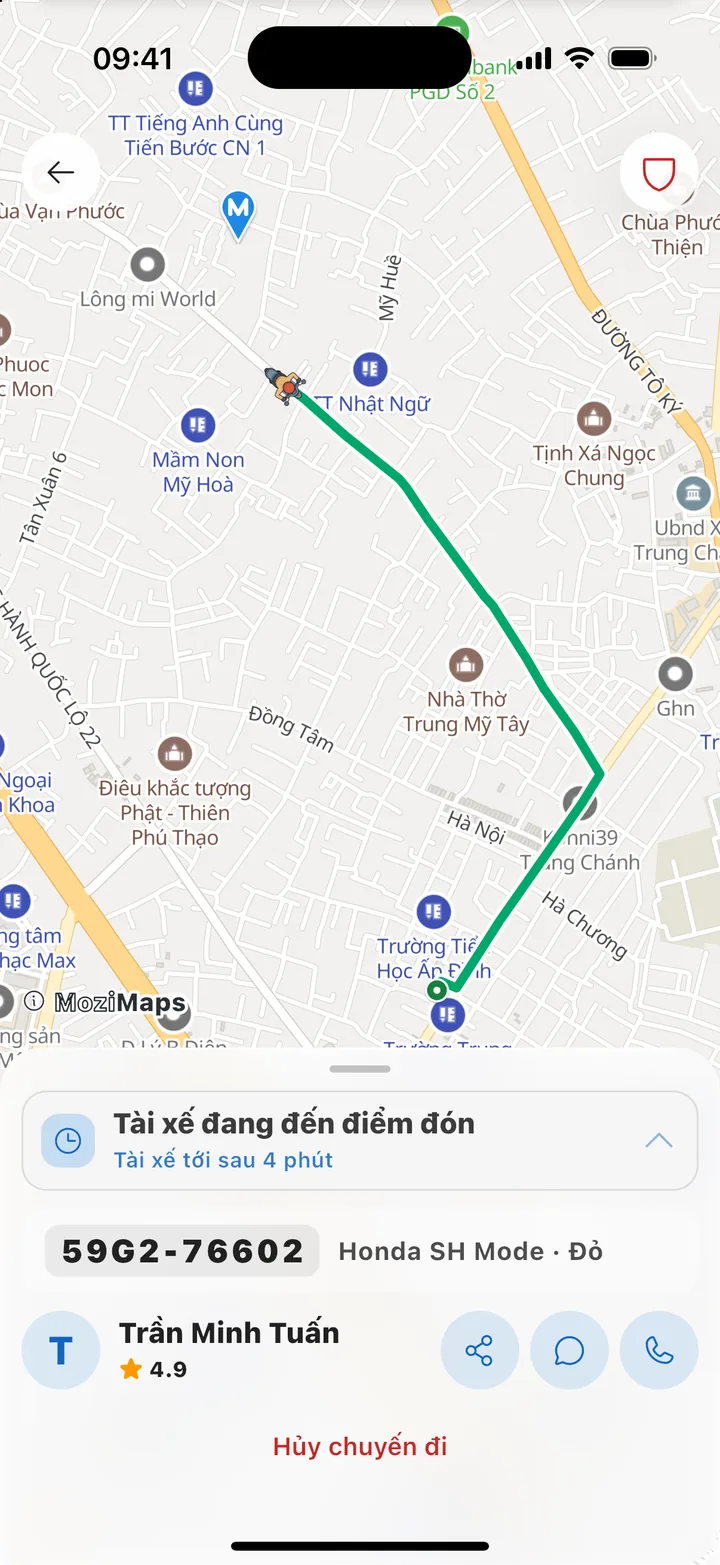
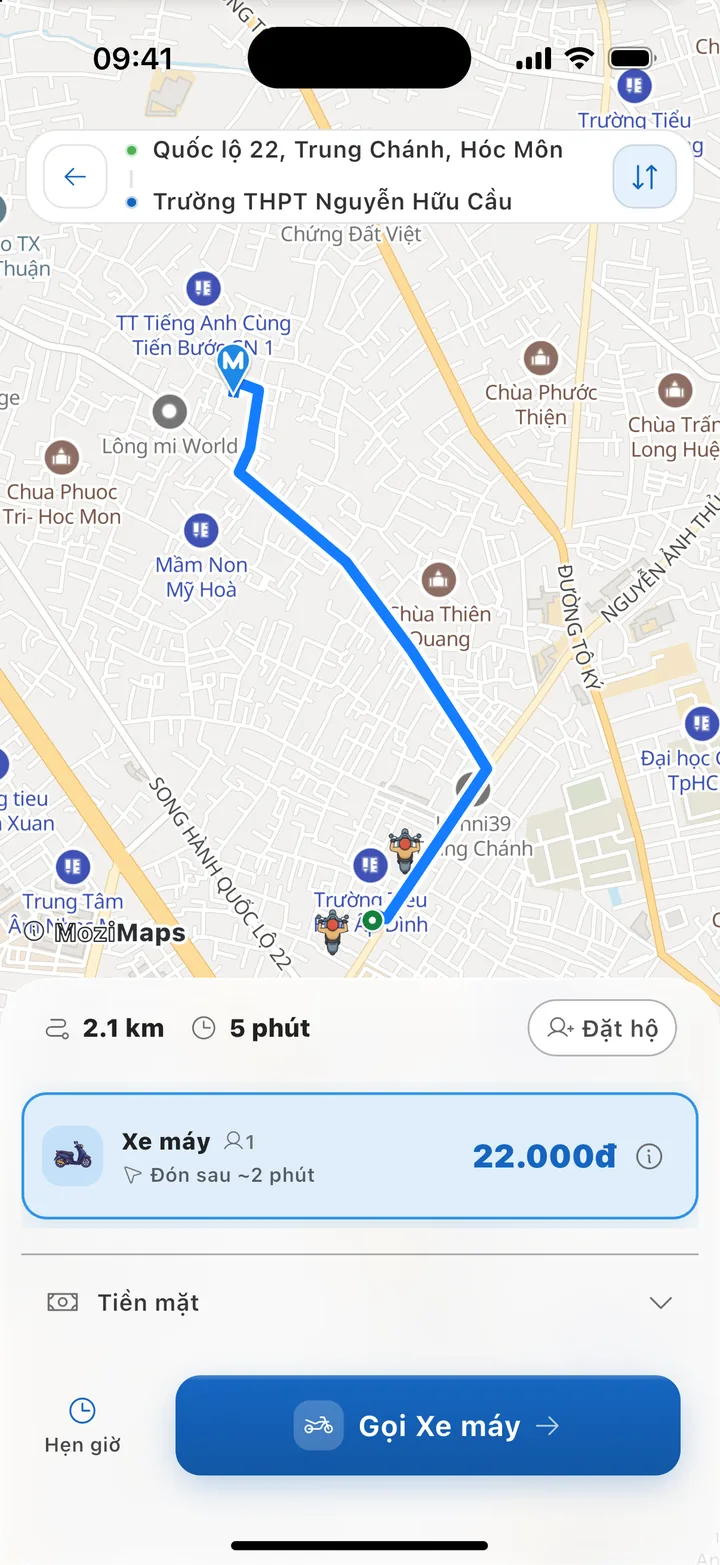
Screenshots from the Mozi app (Vietnamese interface) — names, plates and amounts are for illustration only.
Mozi is for
Features
Getting around every day, made simpler
Every feature below is already in the test version of the app.
Know the price before you book
The price appears as soon as you choose a destination and already includes any peak-hour rate. It only changes when you change it: by editing the destination, or by raising the price to find a ride faster.
See where your ride is
The driver's position updates live on the map. Send your family a link so they can follow the trip too — no app needed.
Book in a few taps
Choose a destination and confirm. Mozi finds a suitable driver near you and shows the estimated wait time.
Pay the driver in cash
Pay exactly the amount the app shows at the end of the trip. When Mozi adds other ways to pay, you will see them right when you book.
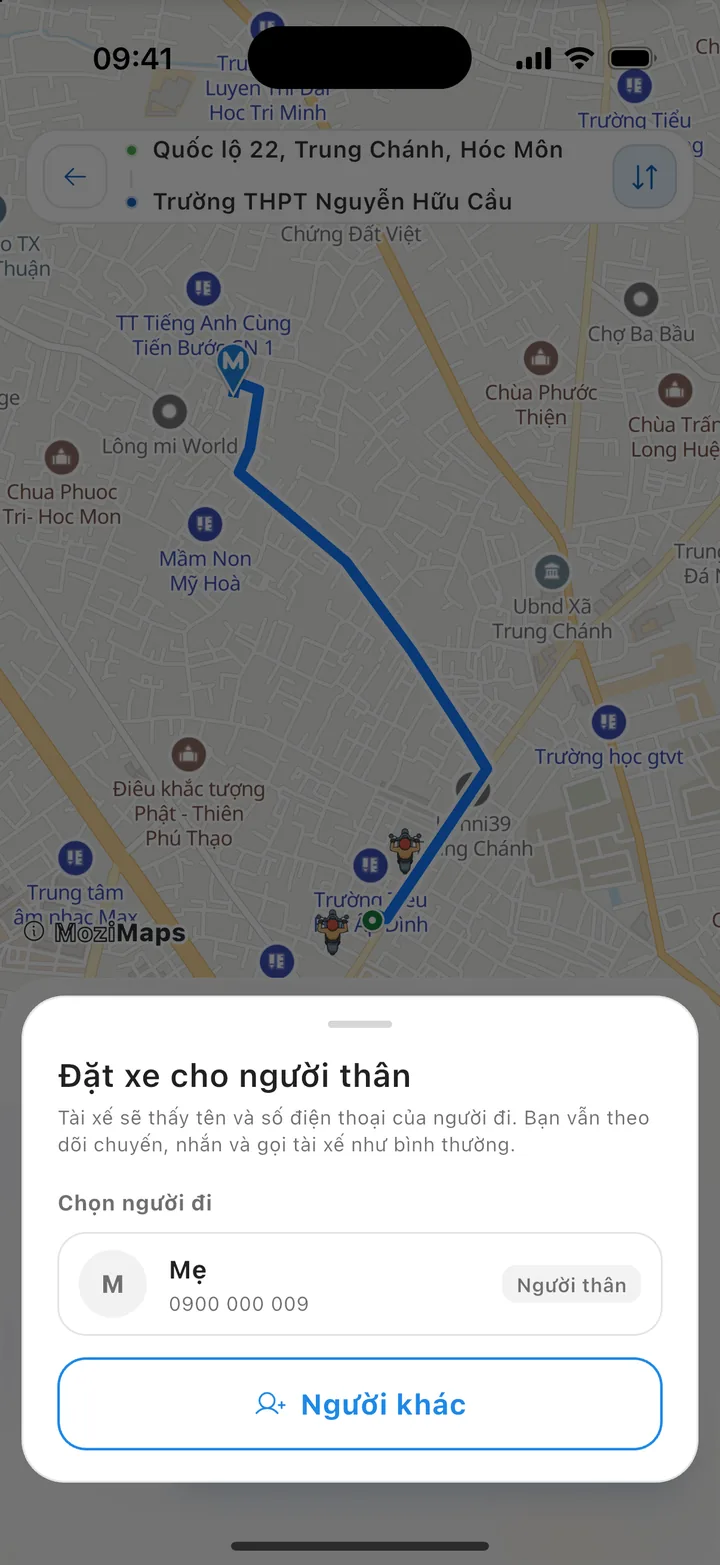
Book a ride for a family member
Book a ride for your parents or children: the driver contacts the passenger directly, while you follow the trip and get alerted if the ride goes off route. The passenger pays the driver in cash at the end.
Schedule ahead
Set a pickup time for an important trip: book ahead, and Mozi looks for a driver just before that time and reminds you before your ride arrives.
How it works
Four steps for every ride
Mozi is built on one simple principle: you know the price, the route and your driver before you get on the bike.
Screenshots from the Mozi app (Vietnamese interface) — names, plates and amounts are for illustration only.
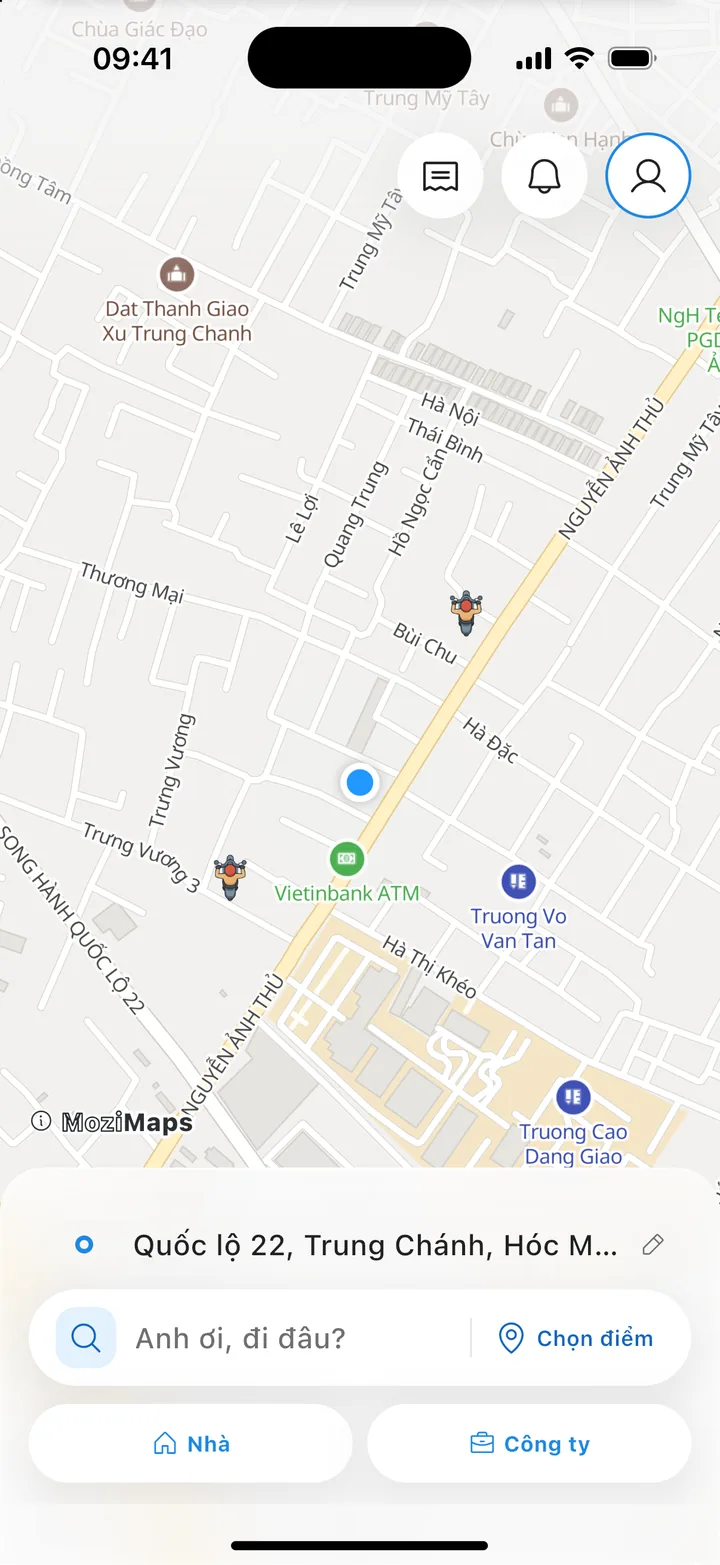
Enter your destination
Open the app, see the drivers around you on the map and enter where you are going. Places you go often are suggested.
Check the price and confirm
The app draws the route and shows the distance, travel time and fare. You confirm only after you have seen them.
Watch your driver arrive
Follow the driver on the map, see their name and license plate, and call or message them right in the app.
Ride and pay
At the end of the trip you see the total fare, pay the driver in cash and rate the ride.
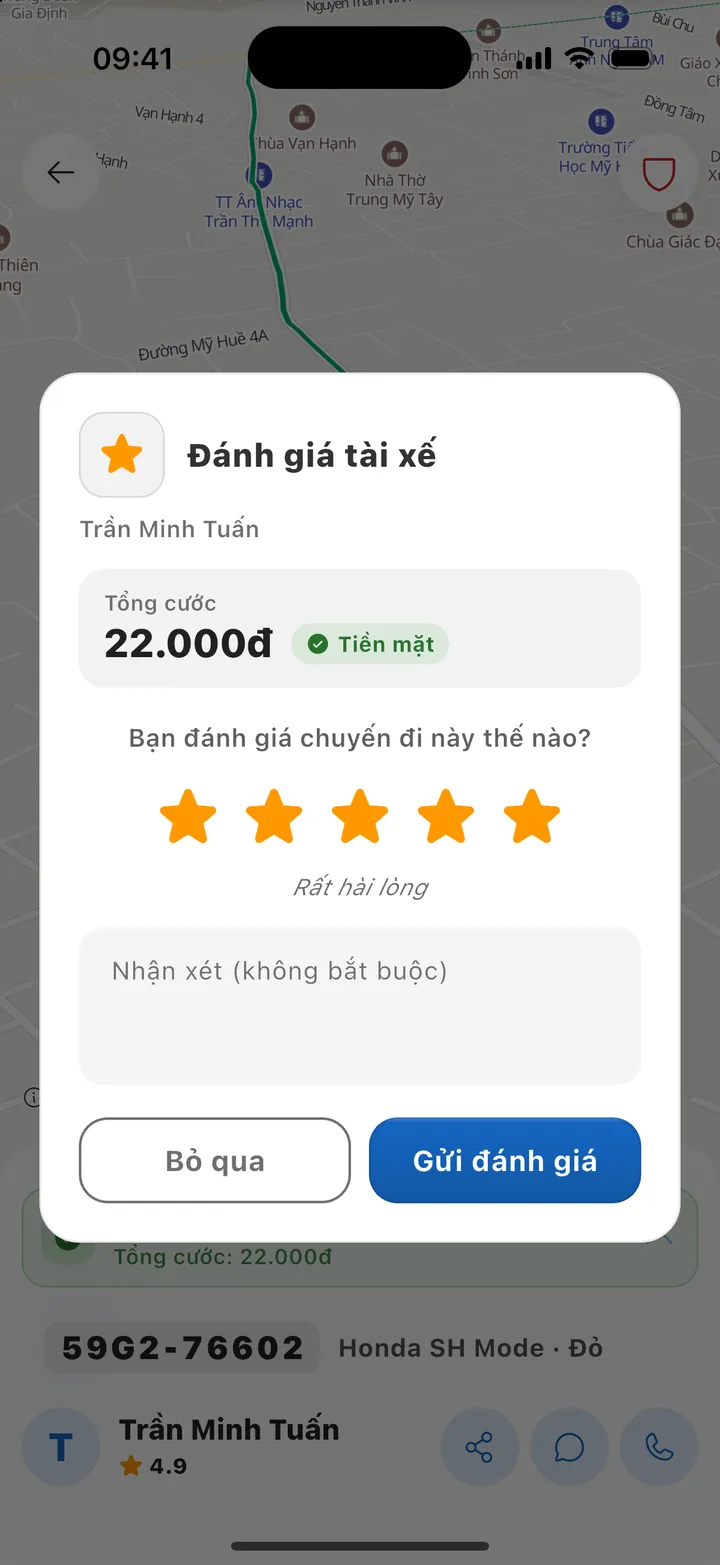
Screenshots from the Mozi app (Vietnamese interface) — names, plates and amounts are for illustration only.
Services
Motorbikes, for trips around town
For now Mozi runs motorbikes only: compact, quick through busy streets and well suited to short trips in the city.
Motorbike
Ride now, or schedule a pickup in advance.
Carries one passenger, and the driver brings a helmet for you
A peak-hour multiplier may apply. Tap ⓘ next to the vehicle type in the app to see the fare table
Safety
Safety built into every ride
What Mozi does before, during and after every ride, so you and your family can feel at ease.
Driver identity checks
Mozi checks each driver's ID card, driving license, vehicle registration and compulsory vehicle insurance before they can take rides.
Trip sharing
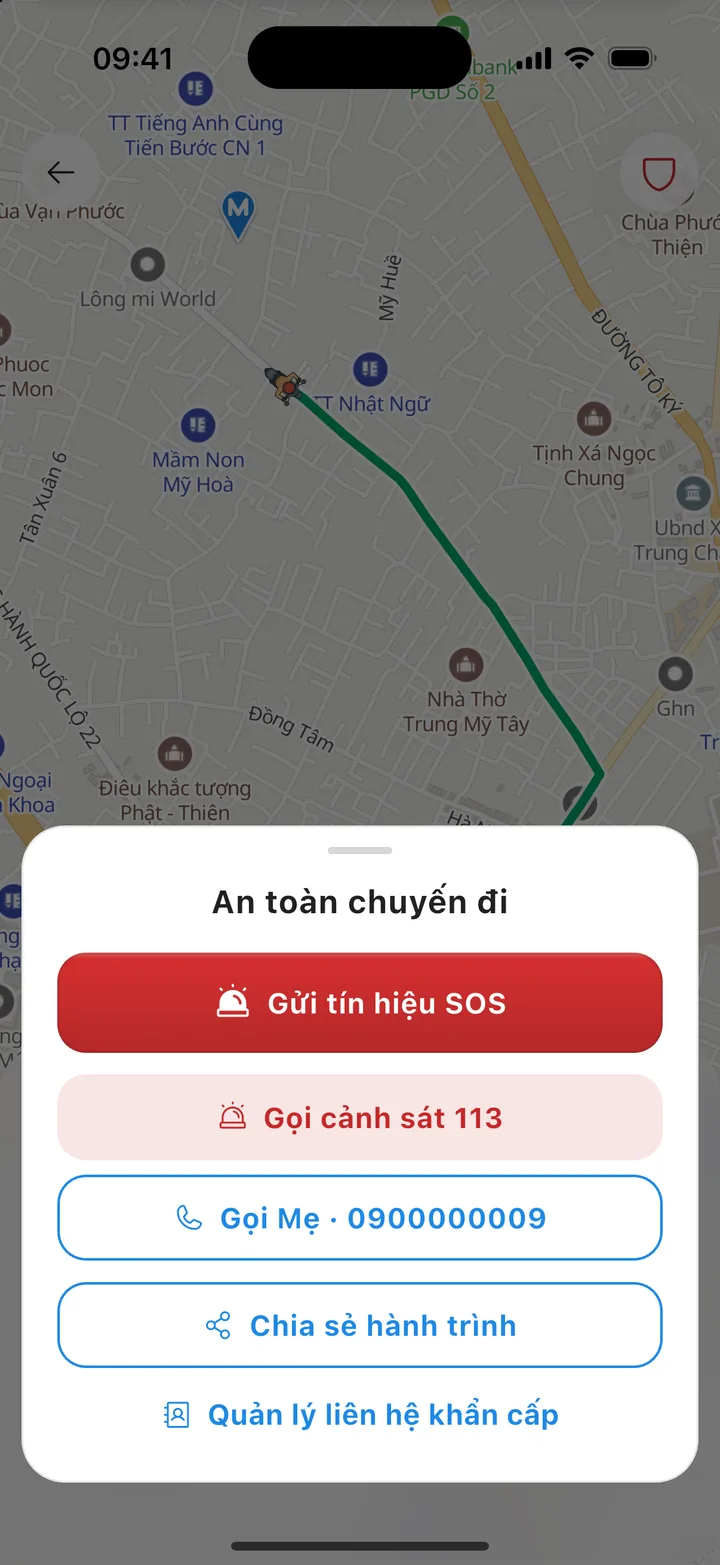
Send your family a tracking link — they do not need the app. The link expires 2 hours after the trip ends.
Emergency button
If you are in danger, call 113 (police) first — the call button is in the trip's safety panel. The SOS button sends your location to Mozi and drafts a message for you to alert your family.
In-app calls and messages
Contact your driver right in the app; your conversation history is kept with each trip.
Report an issue on a trip
Report a problem straight from the trip details; the trip ID and route data are attached for you.
Data protection
Connections between the app and Mozi's servers are encrypted. Staff can only see data within the permissions they are given, and every change to data is logged.
About us
Made in Vietnam, for Vietnam's streets
Mozi is built and run by an engineering team in Vietnam, so it knows the roads and the way people get around here. Dispatch, fare calculation and payments are all developed in-house by Mozi.
Mozi is coming soon to the App Store and Google Play
The app is in testing. In the meantime, you can sign up to drive with Mozi, or leave your details to hear when business accounts open for sign-up.